

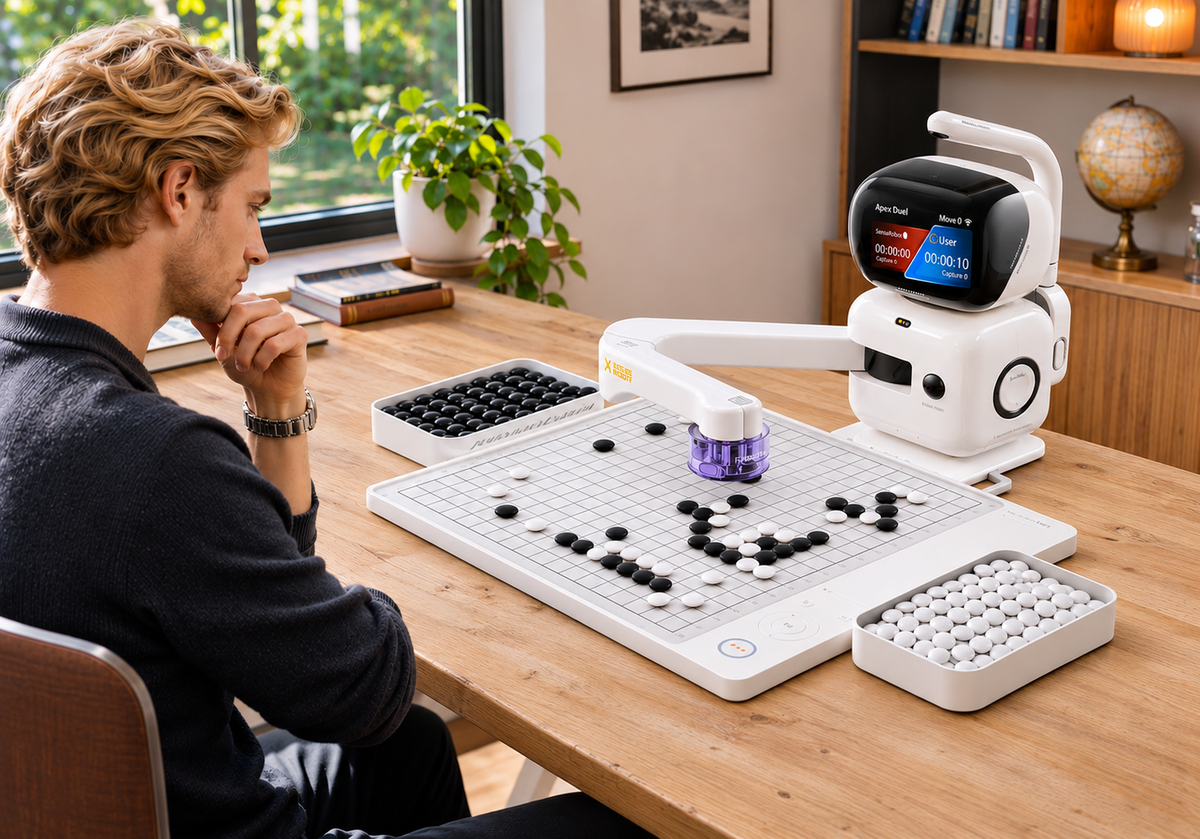
You finish a game against a Go robot. You know who won, but you are less certain about what to do next. Should you change the difficulty, try a smaller board or revisit the group you lost?
Start with a level that lets you make deliberate choices and follow enough of the game to identify something worth reviewing. If you spend most of the game reacting without understanding why your groups are being captured, try a gentler setting. If familiar situations rarely make you think, explore a stronger opponent.
With SenseRobot Go, you can test that balance through physical games and recorded moves. This guide explains how to choose a starting setup, review one position and decide what to change before playing again.
Choose a Starting Level and One Practice Goal
Pick a manageable starting opponent
For your first session, choose a setting based on how comfortable you already feel playing a complete game.
- Still getting comfortable with the rules? Start with the lowest available difficulty for your selected mode.
- Already playing regular games? Try a setting near your usual playing strength, then adjust according to how the game feels.
- Returning after a break? Begin below the strength you previously played against and see how comfortably you follow the exchanges.
SenseRobot Go’s training range runs from 18 Kyu to 9 Dan on the 19×19 board, with a separate Apex Duel challenge. Use those labels as starting references, not direct equivalents to a club or online rank. Check the options available in your selected board mode.
Give the game one clear focus
Before starting, choose something you want to notice: a group running short of liberties, a connection that could be cut, or the purpose of your next move.
Keep the focus simple enough to return to during play. For example: “Before placing my next stone, I’ll check whether any of my groups are in danger.”
Your first game gives you a starting point. You can use what happens on the board to decide whether the setting deserves another try.

Match the Board Size to Your Practice
Choose the board size for the kind of game you want to work through. SenseRobot Go supports 9×9, 13×13 and 19×19 play.
|
Board size
|
A useful starting point when…
|
What to focus on
|
|
9×9
|
You are getting comfortable with complete games or want a smaller position to follow.
|
Liberties, connections and the consequences of nearby moves.
|
|
13×13
|
You feel comfortable on 9×9 and want to manage more groups.
|
Connecting local exchanges with decisions elsewhere on the board.
|
|
19×19
|
You want to practice the full-board game.
|
Balancing local fights with the needs of the wider position.
|
The British Go Association suggests starting on 9×9 until comfortable, then gradually moving to 13×13 and 19×19.
For 9×9 Go practice, a smaller playing area gives you fewer intersections to track, but it does not automatically make the AI easier to beat. Board size and opponent strength are separate choices.
If your main question is whether the difficulty suits you, keep the board size unchanged while trying another level. If following the whole position is the challenge, try a smaller board and reassess the available settings there.
Play a Game with One Thing in Mind
Use the physical game to follow how the position changes after each reply. Our AI vision recognizes the stones on the board, and the robotic arm picks up and places the opponent’s stone.
You can examine the exchange on the same board where you made your move:
- Choose your move. Decide what you want the stone to achieve.
- Let the robot complete its reply. Keep the playing area clear while the arm moves.
- Look again. Has a group become vulnerable? Is a connection still secure? Does your original plan need to change?
For example, if your practice goal is to notice threatened groups, check their liberties after the robot responds. You may discover that a move elsewhere has left a nearby group needing attention.
The robot provides a physical opponent when another player is unavailable. You handle your own stones, watch its reply happen across the board and continue from the resulting position.
If those replies repeatedly leave you unable to follow the game, remember one example for review. That will give you something more useful to assess than the result alone.
Review One Position in the SenseRobot App
Make sure the game will be saved
If you plan to review the game afterward, use your registered player profile rather than Guest Mode. Our Go support FAQ notes that games played in Guest Mode are not saved.
Visit the SenseRobot App download page for setup information, then use the relevant player account to find your recorded games.
Look back at one exchange
Choose a moment related to your practice goal. If a capture surprised you, replay the moves leading up to it and ask: “When did that group begin to run short of liberties?”
Start with three actions:
- Open the saved game. Select the game you want to revisit.
- Replay one exchange. Look at the moves before the capture, escape or connection that caught your attention.
- Write down one thing to watch for next time. Turn the position into a specific question or reminder.
The British Go Association’s teaching guidance recommends focusing a review on one thing the learner can improve. Apply that idea here: work through one useful position before trying to explain the whole game.
If replaying the moves leaves you unsure, take that position to a Go teacher or club player. A specific example makes it easier to ask for the explanation you need.

Keep, Lower or Raise the Difficulty
Choose the next setting based on how much of the game you could follow and where you had to think. Use your review to decide which of these situations best describes the session.
|
What happened during practice
|
What to try next
|
Why
|
|
You lost, but understood much of the game and found a specific mistake to work on.
|
Keep the same level.
|
Another game gives you a chance to apply what you noticed.
|
|
Across several games, groups were repeatedly captured before you understood the threats.
|
Try a lower available level.
|
See whether a gentler opponent makes the exchanges easier to follow.
|
|
You regularly win comfortably and familiar decisions rarely challenge you.
|
Try the next stronger available level.
|
Look for a challenge that requires more deliberate choices.
|
|
You cannot explain a rule or why a particular capture was legal.
|
Resolve that question first.
|
A different difficulty setting will not explain the rule.
|
|
You struggle to keep track of the full board.
|
Try a smaller supported board.
|
Reduce the area you need to follow, then reassess the available difficulty.
|
If your Go robot feels too strong, look for a pattern rather than reacting to one loss. Losing a game you mostly understood can still leave you with a useful task for the next session.
For example, if you discover that one cut separated two important groups, stay at the same level and watch for vulnerable connections next time. If you repeatedly cannot identify what went wrong, try a lower setting and seek help with one saved position.
When choosing SenseRobot Go difficulty levels, keep the board size and other settings as consistent as practical. If you change the board size, treat the next game as a new starting point.
Keep a note you will actually use
A short note is enough: board size, AI setting, one position and your next step.
For example: 9×9, lowest available setting. I missed a threat to the corner group. Next time, keep the setup and check its liberties before playing elsewhere.
Add details such as color or handicap when they affect the comparison. Keep the note brief enough that you will want to use it again.
Make Your Next Game Easier to Start
A useful practice level gives you a reason to think and a reason to play again. Keep it when you have something specific to work on, lower it when you repeatedly lose track of the exchanges, and raise it when the challenge becomes too familiar.
Explore SenseRobot Go for physical play with an available AI opponent and game records you can revisit. Start with a manageable setup and let what happens on the board guide your next choice.